YOOCHA
Yoocha is designed to make chatting with friends, family, and colleagues as seamless and enjoyable as possible. With a sleek and intuitive interface, Yoocha offers a range of features to enhance your messaging experience:
Instant Messaging: Send texts, voice messages, and multimedia with lightning speed.
Group Chats: Create and manage group conversations with ease. Perfect for team projects, family updates, or just hanging out with friends.
Whether you’re catching up with old friends or coordinating with your team, Yoocha brings people closer together with a touch of fun and a lot of functionality

Project Overview
Yoocha is an innovative chat application designed to make online communication both effortless and engaging. With Yoocha, users can connect with friends, family, and new acquaintances through an array of interactive features that enhance the chatting experience. Yoocha is more than just a chat app—it's a platform designed to bring people together, foster meaningful connections, and make online communication more enjoyable. Download Yoocha today and start building your network, chatting with friends, and staying connected like never before!
Project Name
Yoocha
Type
Chatting App
Role
Product Designer
Tools
Figma, Adobe Illustrator, Slack.
Responsibilities
User Research, Designing, Usability Studies, Prototyping
Problem Statement
Current Challenges:
Complexity: Many existing chat applications are either too complex or lack essential features, resulting in user frustration.
User Experience: Users find it difficult to manage conversations and navigate through features, leading to a cluttered and inefficient experience.
Engagement: There is a need for more interactive and personalized elements to keep users engaged and enhance their communication experience.
Privacy and Security: Ensuring that user data and conversations remain private and secure is increasingly important.
Objectives
To design a chat application that addresses these challenges by providing a user-friendly interface, intuitive navigation, and robust security, while also incorporating features that make communication more engaging and personalized.
Goals
Enhance User Experience:
Goal: Create an intuitive and straightforward interface that simplifies navigation and improves user satisfaction.
Objectives:
Develop clear user flows and a minimalistic design to reduce cognitive load.
Implement easy-to-use features for managing conversations and contacts.
2. Improve Communication Efficiency:
Goal: Ensure that messaging and other communication functions are quick and reliable.
Objectives:
Optimize the performance of real-time messaging and multimedia sharing.
Provide features like search and filters to help users find and manage conversations efficiently.
3. Increase User Engagement:
Goal: Incorporate interactive and customizable elements that enhance user interaction.
Objectives:
Design features such as custom stickers, themes, and emoji to allow users to personalize their chat experience.
Introduce engaging tools like polls and location sharing to make conversations more dynamic.
4. Ensure Privacy and Security:
Goal: Implement robust security measures to protect user data and maintain privacy.
Objectives:
Integrate end-to-end encryption for all communications.
Design user-friendly privacy settings and notifications to keep users informed about their data security.
5. Maintain Cross-Platform Consistency:
Goal: Provide a consistent and seamless experience across various platforms.
Objectives:
Design responsive interfaces for mobile (iOS and Android) and web platforms.
Collaborate with developers to ensure that the design is implemented consistently across all devices.
My way of work
Starting my design process, I first dug into user research, by interviewing some of my friends. This helped me figure out what users needed and who they were. I created user stories and mapped out their journeys by movie plan scenarios. From there, I built on the user journeys by working out the different steps users would take. I turned these into interaction points and made a paper prototype. After this, having felt content with my paper prototype. I translated my paper wireframes to digital. To make sure everything was on track, I tested it out with real people and gathered valuable feedback. Their thoughts helped me make the design even better.
Working on the idea & prioritizing user flows
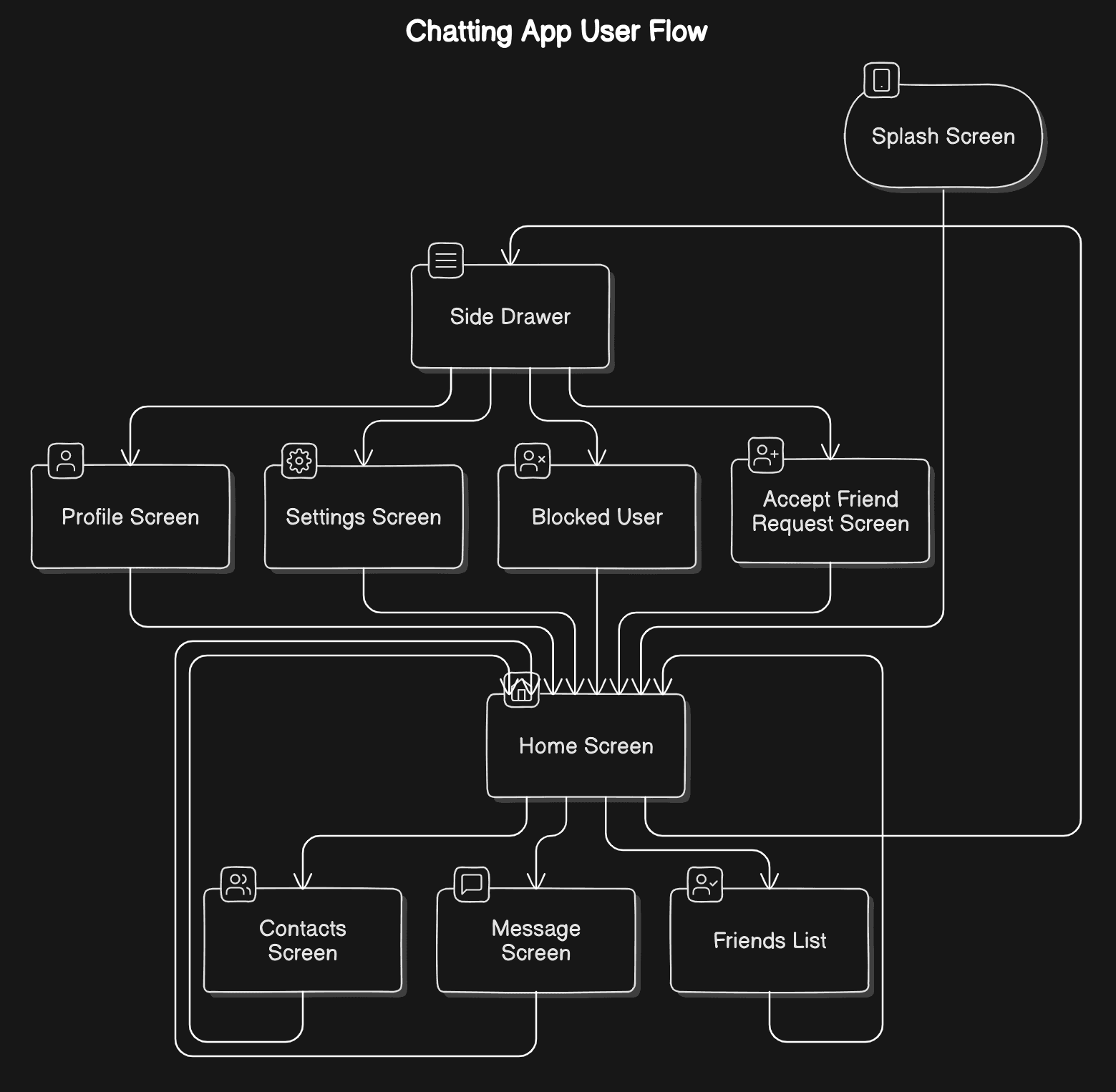
Selecting the seats of choice, I started brainstorming, Jotted points: Created Stories and scenarios, user personas, collected data about competitors and then i brainstrome some initial screens to visualize the app views. After being content with the layout, and UI skeleton, I completed mapping the core flow.
User Scenarios
Scenario 1: Staying Connected with Friends and Family
User: Emma, a 28-year-old who recently moved to a new city for work.
Objective: Emma wants to maintain her relationships and stay in touch with her friends and family who live in her previous city.
Context:
Emma is busy with her new job and has limited time for phone calls.
She misses the easy and frequent communication she had with her loved ones before moving.
Design Process
App User Flow
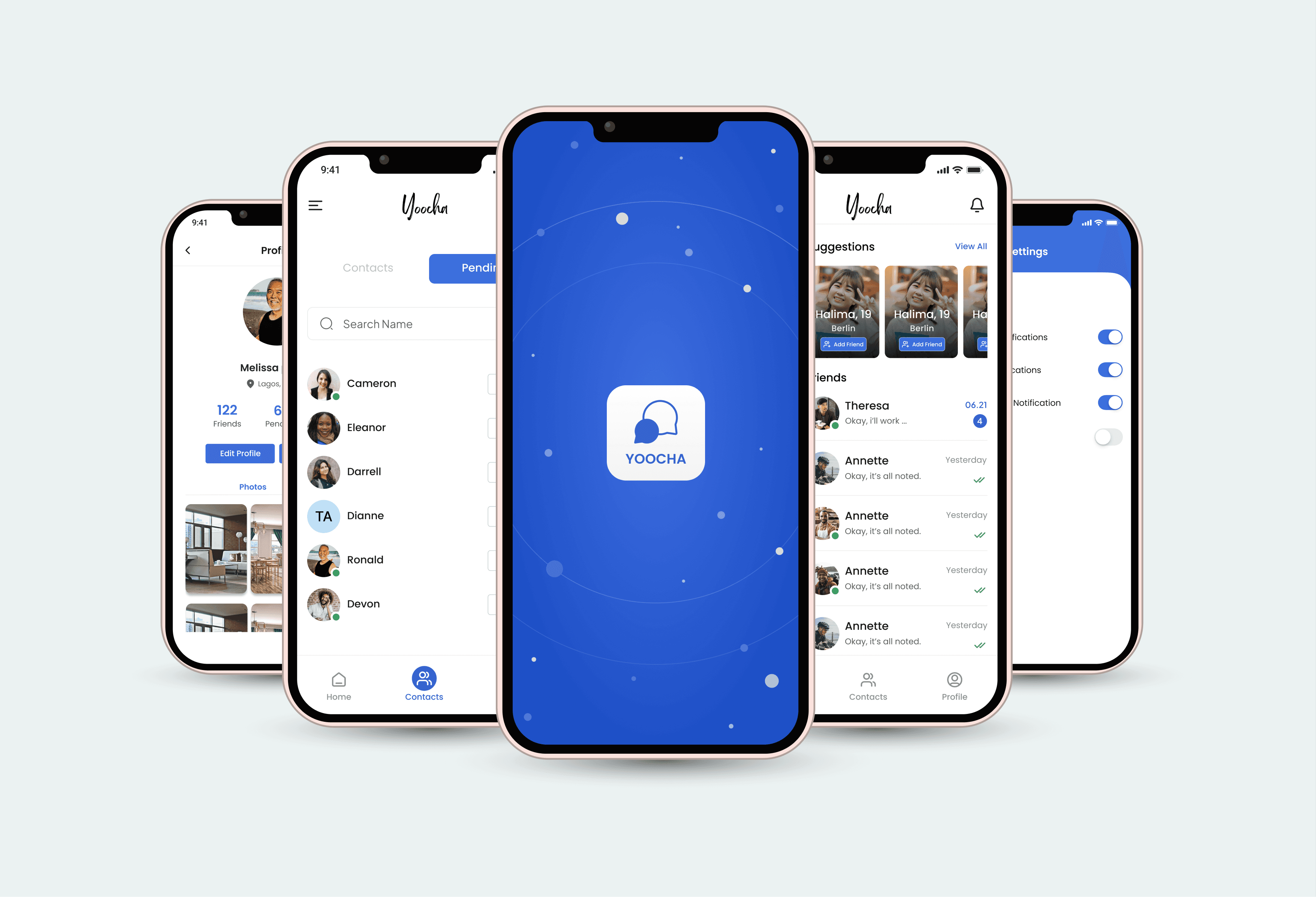
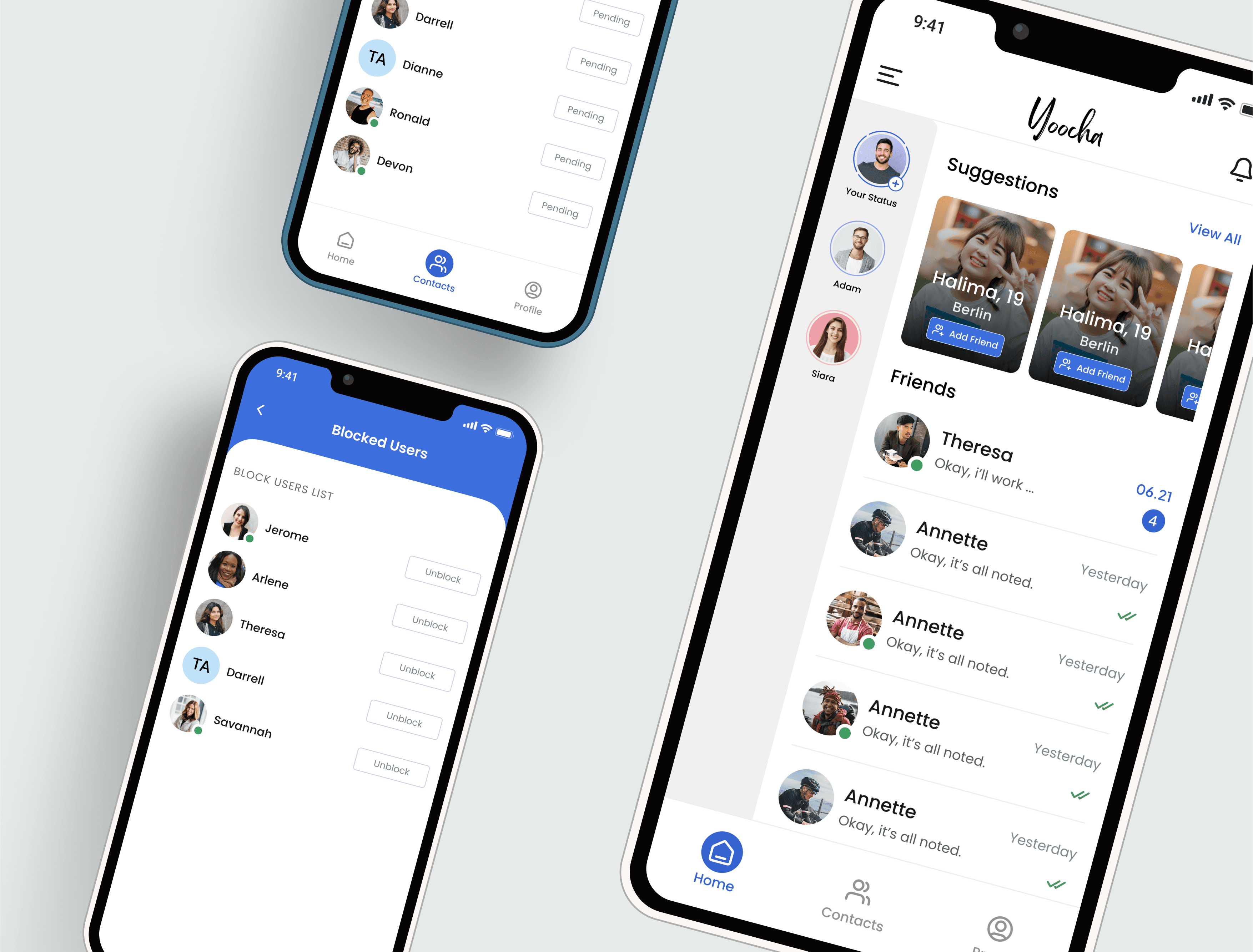
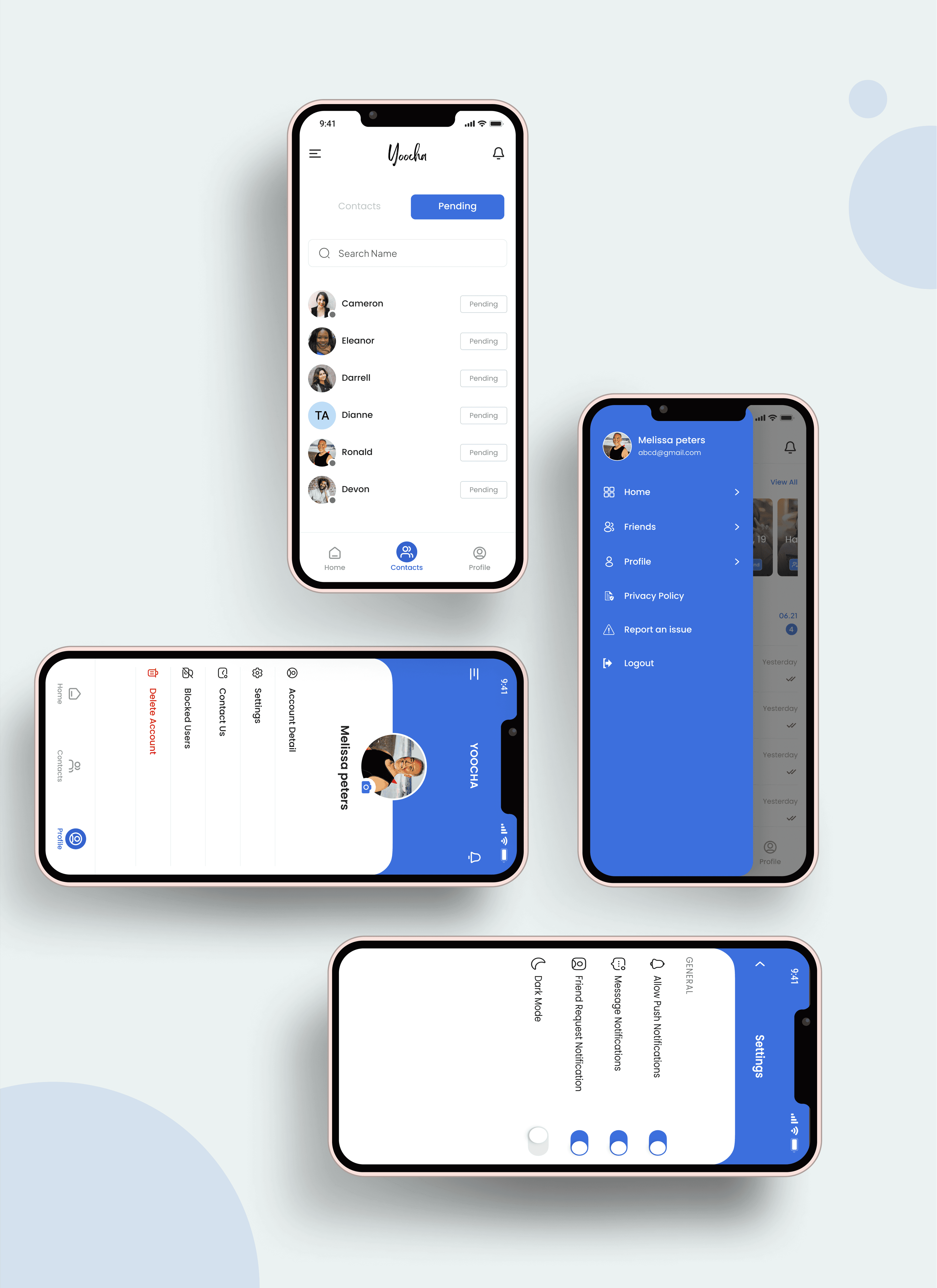
UI Screens
Results, Learnings & Next Steps
With a few iterations, I completed the designs. In the design phase of the app, I discovered that the initial ideas are the start of the creative process. Testing and sharing designs with others help to improve and refine them. The project served as a great learning in the UX design process. I learned how to make do with Figma. Explored and practiced Gestalt principles for visual design.
Conducted a small usability study to gather feedback on my designs. Also understood the value of feedback and its impact on design choices. Next? If I can spend time on the project, I would love to do more research and try to find areas of improvement. Make the visual designs more "wow" and work on the needs of the secondary persona group.
THE END
Thankyou 🙏🏻
I appreciate your time and attention, I hope you have liked the work.
Want to share your thoughts?