AI - CHATBOX
UX Case Study
The aim of this project is to develop a clone of the "ChatBox: AI Chat Bot Assistant" app. The clone will retain all the key functionalities and features of the original app while implementing them in a way that aligns with our development environment and platforms.

Project Overview
AI-Chatbox is an advanced mobile app designed to provide intelligent, responsive, and context-aware conversational experiences. The app leverages Artificial Intelligence (AI) to deliver personalized interactions, automate tasks, and assist users across various scenarios.
Project Name
AI - Chatbox
Type
Chatbot
Role
Product Designer
Tools
Figma, Adobe Illustrator, Slack.
Responsibilities
User Research, Designing, Usability Studies, Prototyping
Problem Statement
Current Challenges:
Limited Interaction Quality: Many existing chatbots offer generic, scripted responses that lack the ability to engage in meaningful, context-aware conversations.
User Frustration: Users often experience frustration with chatbots that cannot handle complex queries or provide relevant information.
Integration Complexity: Combining chat functionality with other services and features can be challenging, leading to fragmented user experiences.
Security Concerns: Ensuring user data privacy and security while interacting with AI-powered chatbots is critical.
Objectives
Develop an AI-powered chatbot application that assists users in various tasks, similar to the original ChatBox app.
Ensure a user-friendly interface for smooth interactions and engagement.
Implement the AI capabilities using the Chat GPT model or equivalent technology.
Provide a seamless user experience across multiple devices and platforms.
Functional Requirements:
1. Text Crafting and Enhancement:
a. Allow users to compose speeches, emails, and other written content.
b. Implement AI capabilities to enhance writing style, tone, and grammar.
c. Offer suggestions for improvements in content.
2. Summarization:
a. Develop the ability to summarize long pieces of text into concise summaries.
b. Provide users with summarized versions of documents, articles, or reports.
3. Simple Explanations:
a. Enable the chatbot to break down complex concepts into easy-to-understand explanations.
b. Support users in communicating ideas clearly to others.
4. Math and Programming Assistance:
a. Implement a math and programming module for users to perform calculations and coding tasks.
b. Ensure accuracy and efficiency in handling calculations and code-related queries.
5. Roleplaying:
a. Create a roleplaying feature where users can engage in text-based interactions with the AI chatbot.
b. Enable the AI chatbot to take on different personas and provide relevant responses.
6. Idea Generation:
a. Develop an idea generation module that helps users brainstorm headlines, marketing angles, and creative concepts.
b. Assist users in structuring and organizing their ideas effectively.
My way of work
Starting my design process, I first dug into user research, by interviewing some of my friends. This helped me figure out what users needed and who they were. I created user stories and mapped out their journeys by movie plan scenarios. From there, I built on the user journeys by working out the different steps users would take. I turned these into interaction points and made a paper prototype. After this, having felt content with my paper prototype. I translated my paper wireframes to digital. To make sure everything was on track, I tested it out with real people and gathered valuable feedback. Their thoughts helped me make the design even better.
Working on the idea & prioritizing user flows
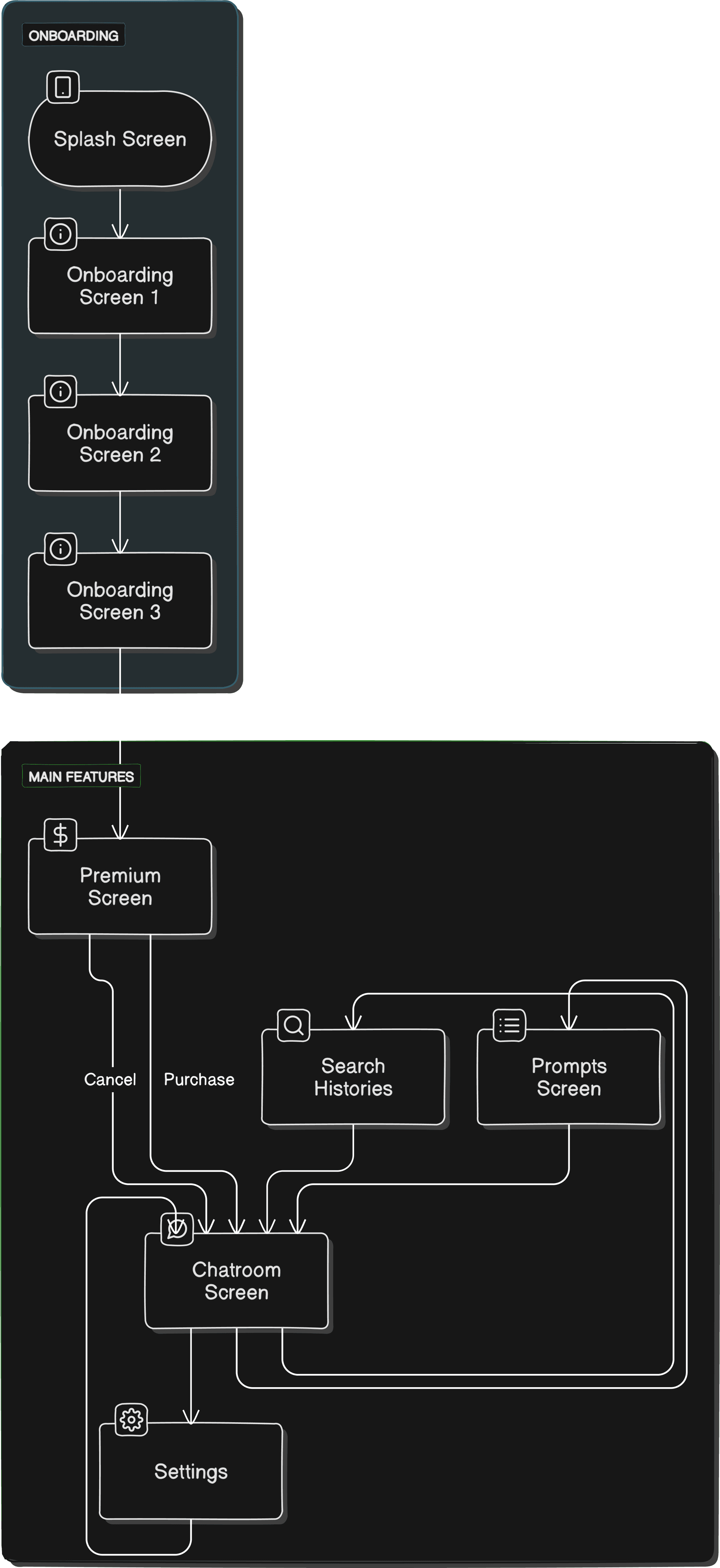
Selecting the seats of choice, I started brainstorming, Jotted points: Created Stories and scenarios, user personas, collected data about competitors and then i brainstrome some initial screens to visualize the app views. After being content with the layout, and UI skeleton, I completed mapping the core flow.
User Scenarios
Scenario 1 : Traveling Assistance
User : Priya, a 30-year-old traveler planning a trip to a new city.
Objective: Priya needs help with travel planning and local recommendations.
Context:
Priya is traveling to a new city and requires information on local attractions, restaurants, and transportation.
Scenario 2 : Instant Customer Support
User: Alex, a 32-year-old online shopper who needs quick assistance with a recent purchase.
Objective: Alex wants immediate help with a customer service issue without waiting on hold or dealing with long email threads.
Context:
Alex recently purchased an item online but has a question about the return policy.
He prefers instant responses rather than waiting for email replies or customer service calls.
Design Process
App User Flow
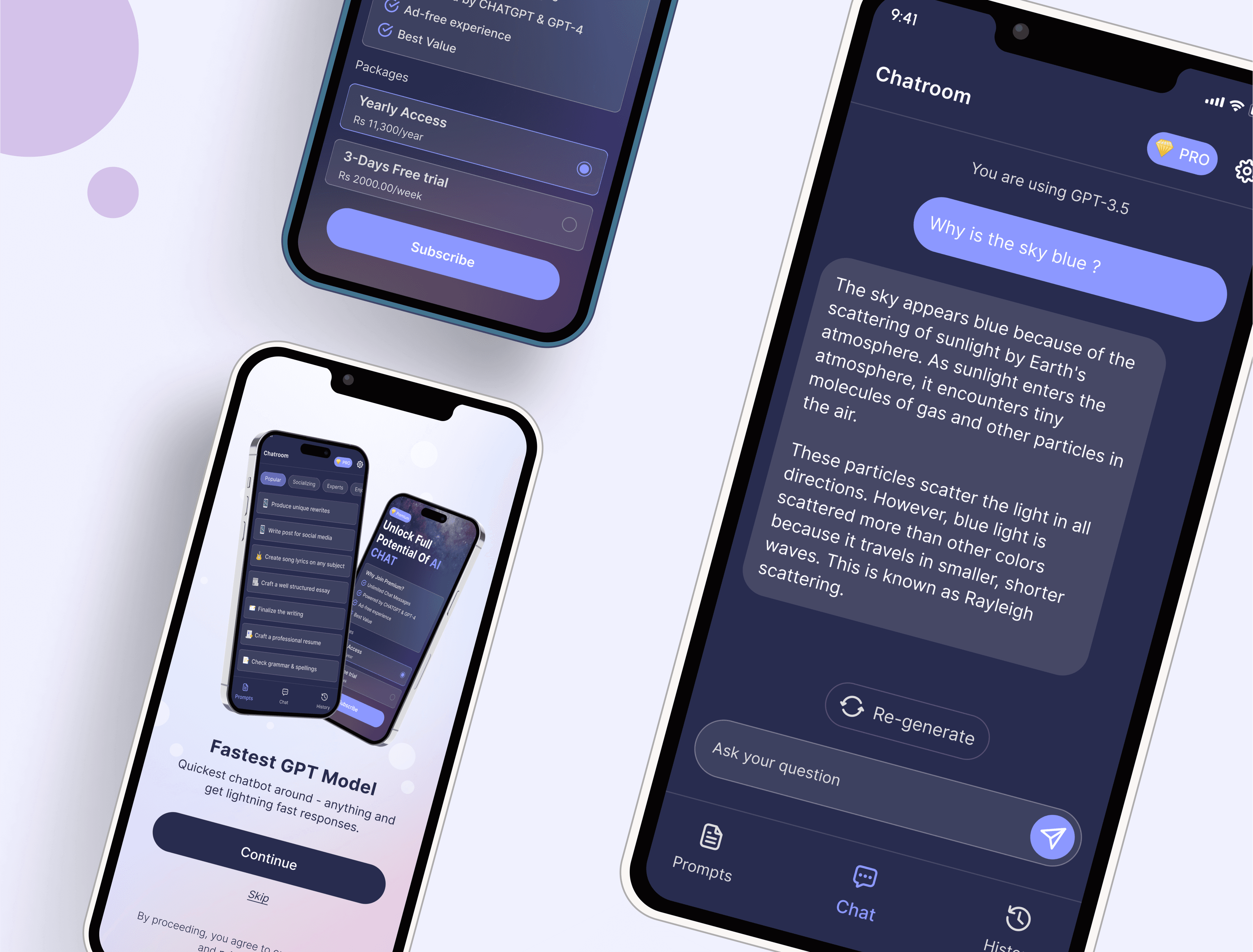
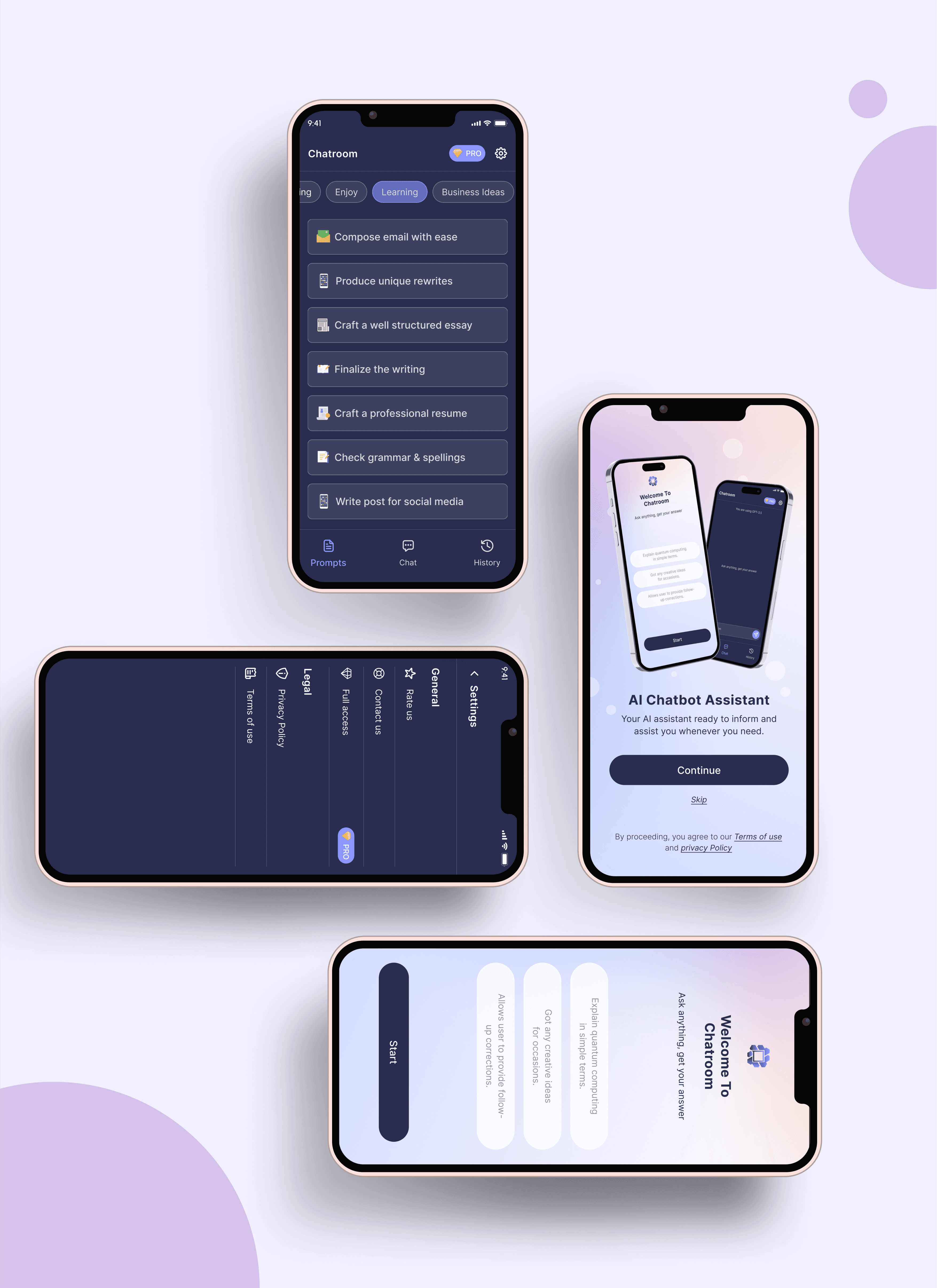
UI Screens

Results, Learnings & Next Steps
With a few iterations, I completed the designs. In the design phase of the app, I discovered that the initial ideas are the start of the creative process. Testing and sharing designs with others help to improve and refine them. The project served as a great learning in the UX design process. I learned how to make do with Figma. Explored and practiced Gestalt principles for visual design.
Conducted a small usability study to gather feedback on my designs. Also understood the value of feedback and its impact on design choices. Next? If I can spend time on the project, I would love to do more research and try to find areas of improvement. Make the visual designs more "wow" and work on the needs of the secondary persona group.
THE END
Thankyou 🙏🏻
I appreciate your time and attention, I hope you have liked the work.
Want to share your thoughts?