
PASSWORD MANAGER APP
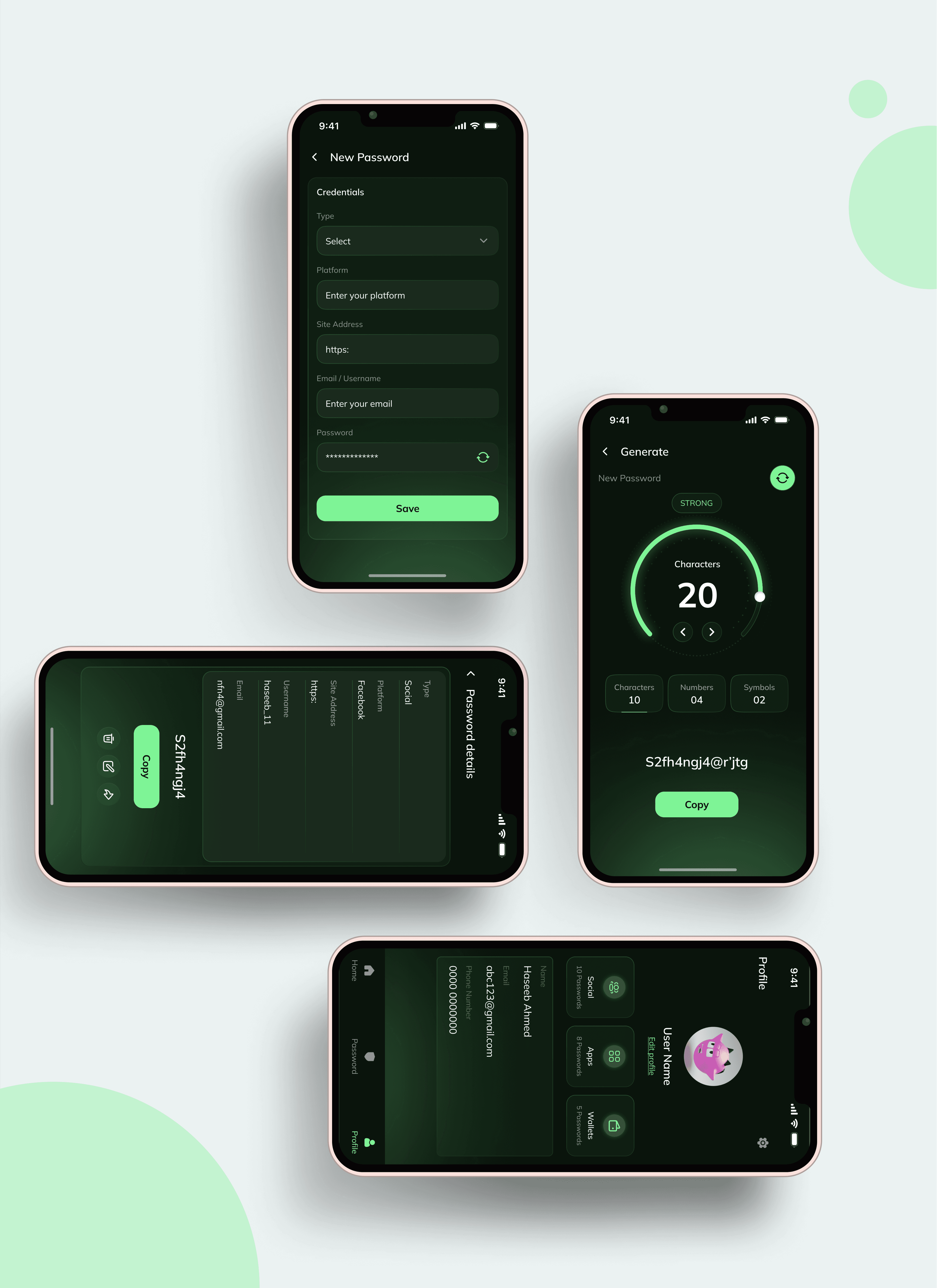
Password is your ultimate password wallet, designed to securely store and manage all your sensitive information with ease. With Password manager, you can say goodbye to the hassle of remembering multiple passwords and the risk of losing them. Our app offers a safe, user-friendly solution for keeping your digital credentials organized and protected.
UX Case Study
Project Overview
Password Manager is a comprehensive management solution designed to help users securely store, organize, and manage their passwords and sensitive information.
Project Name
Password Manager
Type
Password wallet
Role
Product Designer
Tools
Figma, Adobe Illustrator, Slack.
Responsibilities
User Research, Designing, Usability Studies, Prototyping
Problem Statement
Current Challenges:
Password Overload: Users struggle to manage and remember numerous complex passwords across different platforms and services.
Security Risks: Weak or reused passwords expose users to security risks, such as hacking and identity theft.
Convenience: Manual entry of passwords is cumbersome, and users often resort to insecure methods to store or remember passwords.
Data Protection: Sensitive information needs to be protected from unauthorized access and breaches.
Objectives
To design a secure, user-friendly password manager that simplifies password management, enhances security, and provides a seamless user experience while protecting sensitive information.
Goals
Enhance User Security:
Goal: Ensure that users’ passwords and sensitive data are protected from unauthorized access.
Objectives:
Implement AES-256 encryption for data storage and transmission.
Integrate multi-factor authentication (MFA) to add an additional layer of security.
Provide regular security updates and vulnerability patches.
2. Simplify Password Management:
Goal: Offer a streamlined and intuitive experience for managing and using passwords.
Objectives:
Develop features for secure password storage, auto-generation, and autofill.
Design a user-friendly interface that allows easy navigation and management of passwords.
Provide options for organizing passwords and sensitive information effectively.
3. Improve User Convenience:
Goal: Make password management effortless and accessible across all devices.
Objectives:
Enable cross-device synchronization to ensure users have access to their passwords from any device.
Incorporate one-tap autofill and form-filling features for quick and easy logins.
Implement a secure backup and recovery system to protect against data loss.
4. Support User Customization:
Goal: Allow users to tailor their experience and manage their data according to their preferences.
Objectives:
Provide customizable options for password generation, storage categories, and secure notes.
Allow users to designate emergency contacts who can access their account in case of an emergency.
5. Ensure Privacy and Compliance:
Goal: Protect user privacy and adhere to data protection regulations.
Objectives:
Implement strong data protection measures to comply with privacy laws and regulations (e.g., GDPR, CCPA).
Ensure transparency about data usage and security practices through clear privacy policies.
My way of work
Starting my design process, I first dug into user research, by interviewing some of my friends. This helped me figure out what users needed and who they were. I created user stories and mapped out their journeys by movie plan scenarios. From there, I built on the user journeys by working out the different steps users would take. I turned these into interaction points and made a paper prototype. After this, having felt content with my paper prototype. I translated my paper wireframes to digital. To make sure everything was on track, I tested it out with real people and gathered valuable feedback. Their thoughts helped me make the design even better.
Working on the idea & prioritizing user flows
Selecting the seats of choice, I started brainstorming, Jotted points: Created Stories and scenarios, user personas, collected data about competitors and then i brainstrome some initial screens to visualize the app views. After being content with the layout, and UI skeleton, I completed mapping the core flow.
User Scenarios
User : Sarah, a 34-year-old marketing manager who uses various online services.
Objective: Sarah needs a way to securely manage and access her numerous passwords for different accounts.
Context:
Sarah uses multiple accounts for work, personal use, and social media.
She struggles to remember complex passwords and often reuses the same password across different sites.
Design Process
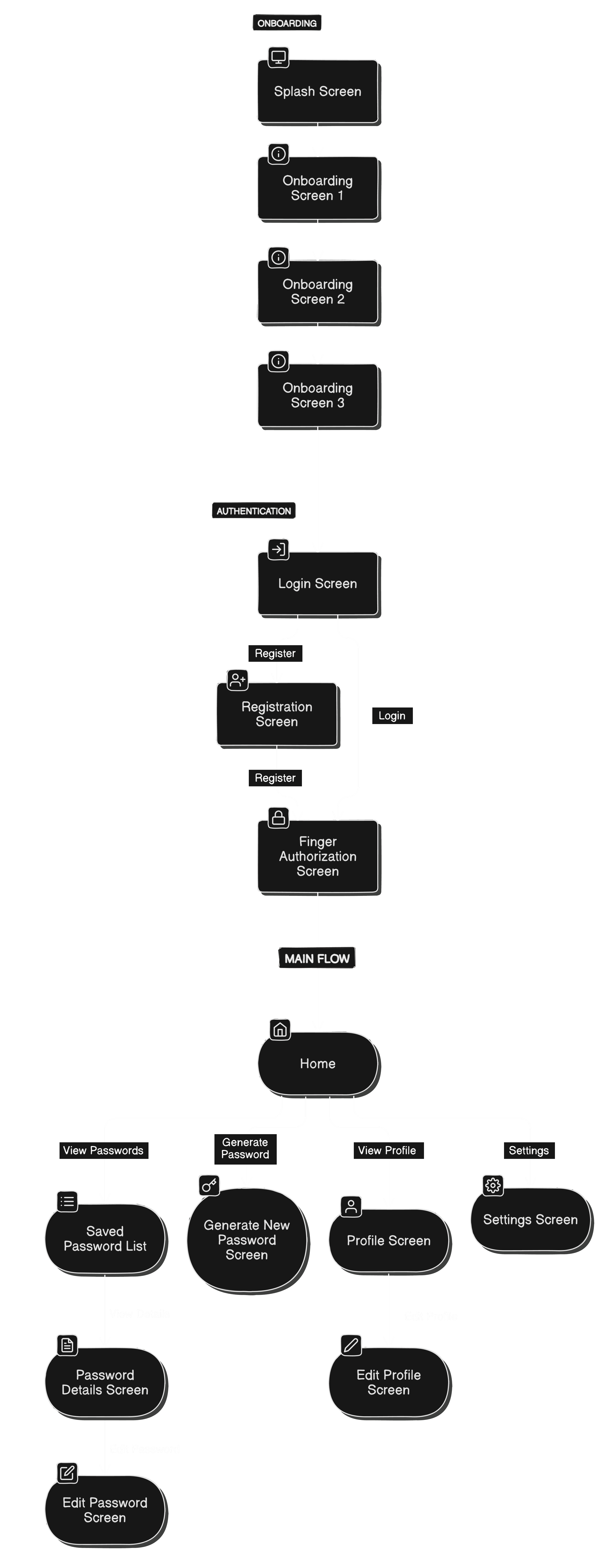
App User Flow
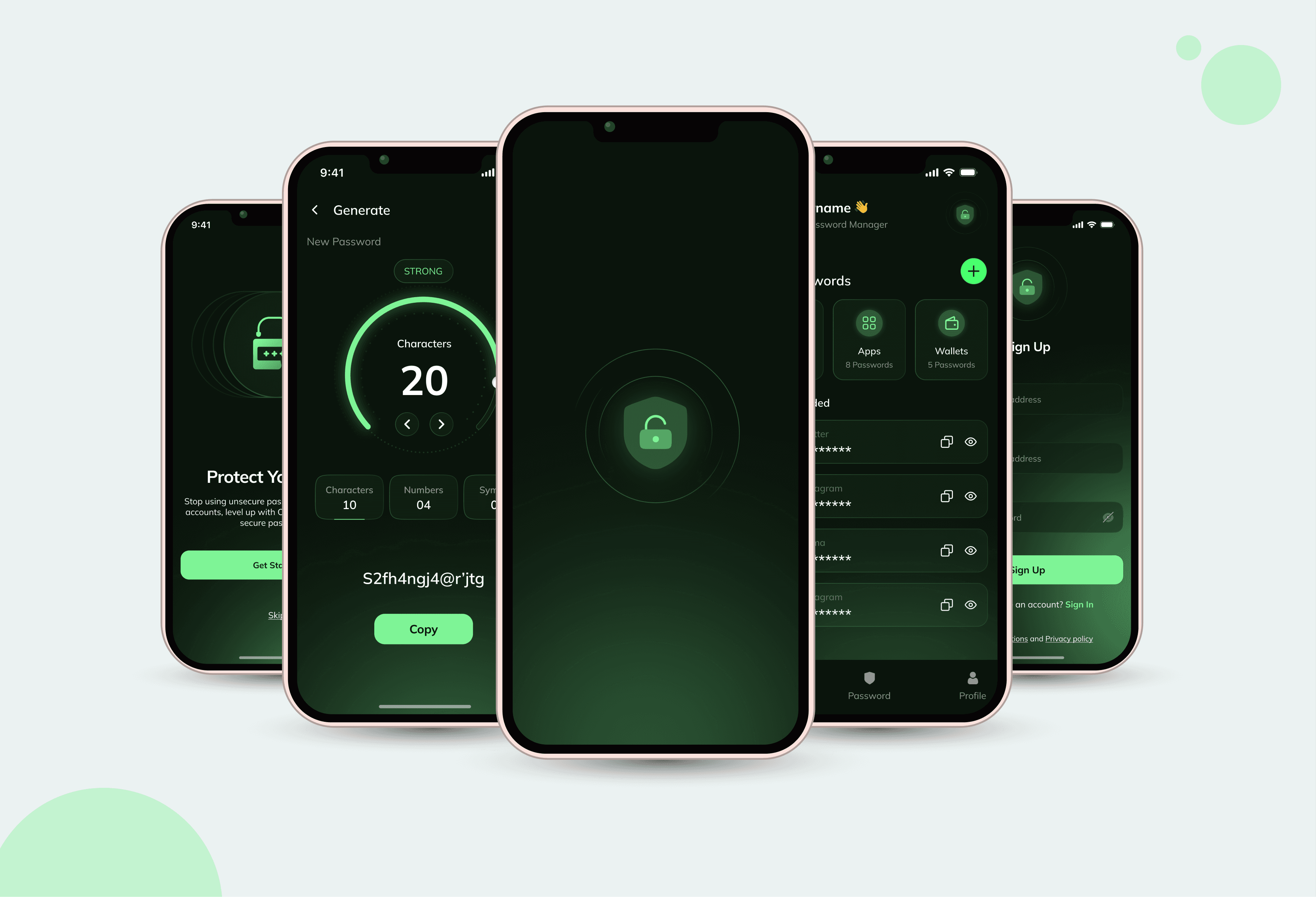
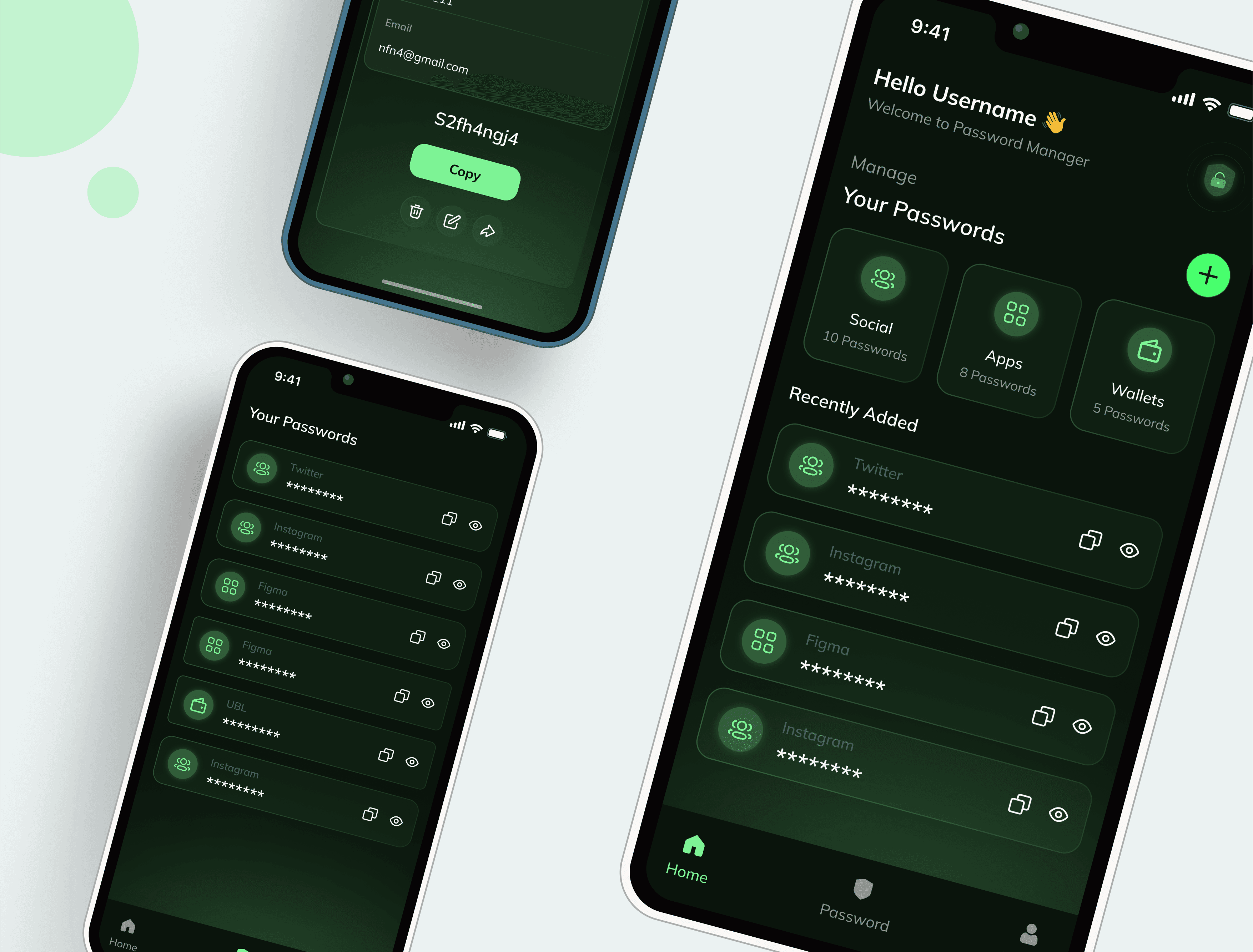
UI Screens
Results, Learnings & Next Steps
With a few iterations, I completed the designs. In the design phase of the app, I discovered that the initial ideas are the start of the creative process. Testing and sharing designs with others help to improve and refine them. The project served as a great learning in the UX design process. I learned how to make do with Figma. Explored and practiced Gestalt principles for visual design.
Conducted a small usability study to gather feedback on my designs. Also understood the value of feedback and its impact on design choices. Next? If I can spend time on the project, I would love to do more research and try to find areas of improvement. Make the visual designs more "wow" and work on the needs of the secondary persona group.
AI - Chatbox
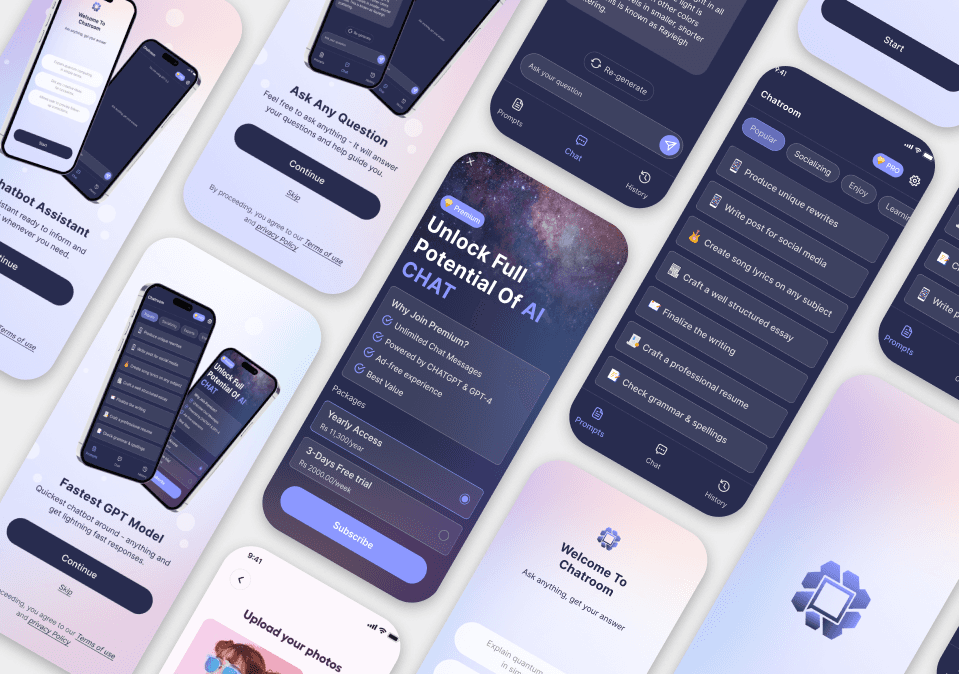
Cutting-edge AI chatbox is designed to provide responsive, & engaging conversations tailored to your needs.
Yoocha
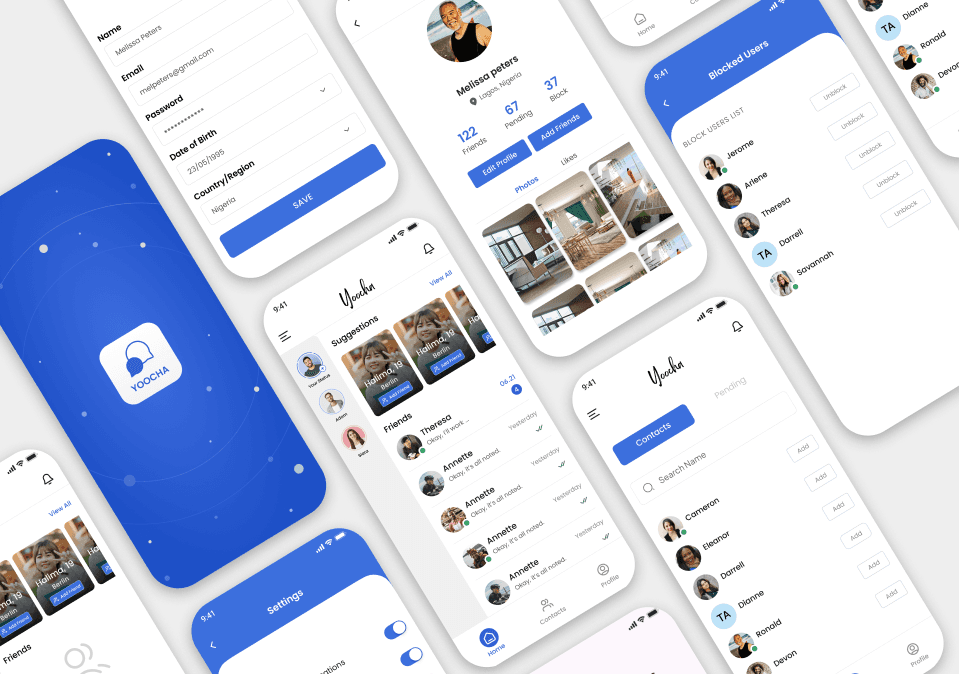
Yoocha is a modern, intuitive chat app designed to make communication seamless and engaging.
THE END
Thankyou 🙏🏻
I appreciate your time and attention, I hope you have liked the work.
Want to share your thoughts?